The fast Flutter data table that measures your content
A Flutter data grid that sizes columns from what's in them instead of making you guess widths, and paints cells instead of building a widget for each one. It scrolls a million rows as smoothly as a hundred.
The work tracks the viewport, never the dataset
Same viewport, a thousand times the data, the same amount of work.
Columns measure their content
No width arithmetic. Each column sizes itself from its text, with clamps, flex and fixed widths when you want them. Measurement samples the longest candidates, so it stays fast on huge datasets.
Cells are painted, not built
A block of cells is one render object with cached text painters. Real widgets are still there for the cells that need them, and are built only while visible.
| Rows | First frame | Median scroll frame | Rows laid out |
|---|---|---|---|
| 1,000 | 21.0 ms | 5.1 ms | 20 |
| 100,000 | 28.7 ms | 3.3 ms | 20 |
| 1,000,000 | 41.6 ms | 2.9 ms | 20 |
Measured by the benchmarks in the repository.
Everything a data grid needs
A complete grid, with no dependency beyond Flutter.
Spreadsheet editing
Inline editing with validation, cell ranges, copy and paste, a fill handle, and undo and redo.
- Ranges
- Fill handle
- Undo / redo
- Keyboard navigation
Charts in cells
Data bars, progress tracks and sparklines, painted in the same pass as the text.
- Data bars
- Progress
- Sparklines
- Conditional formatting
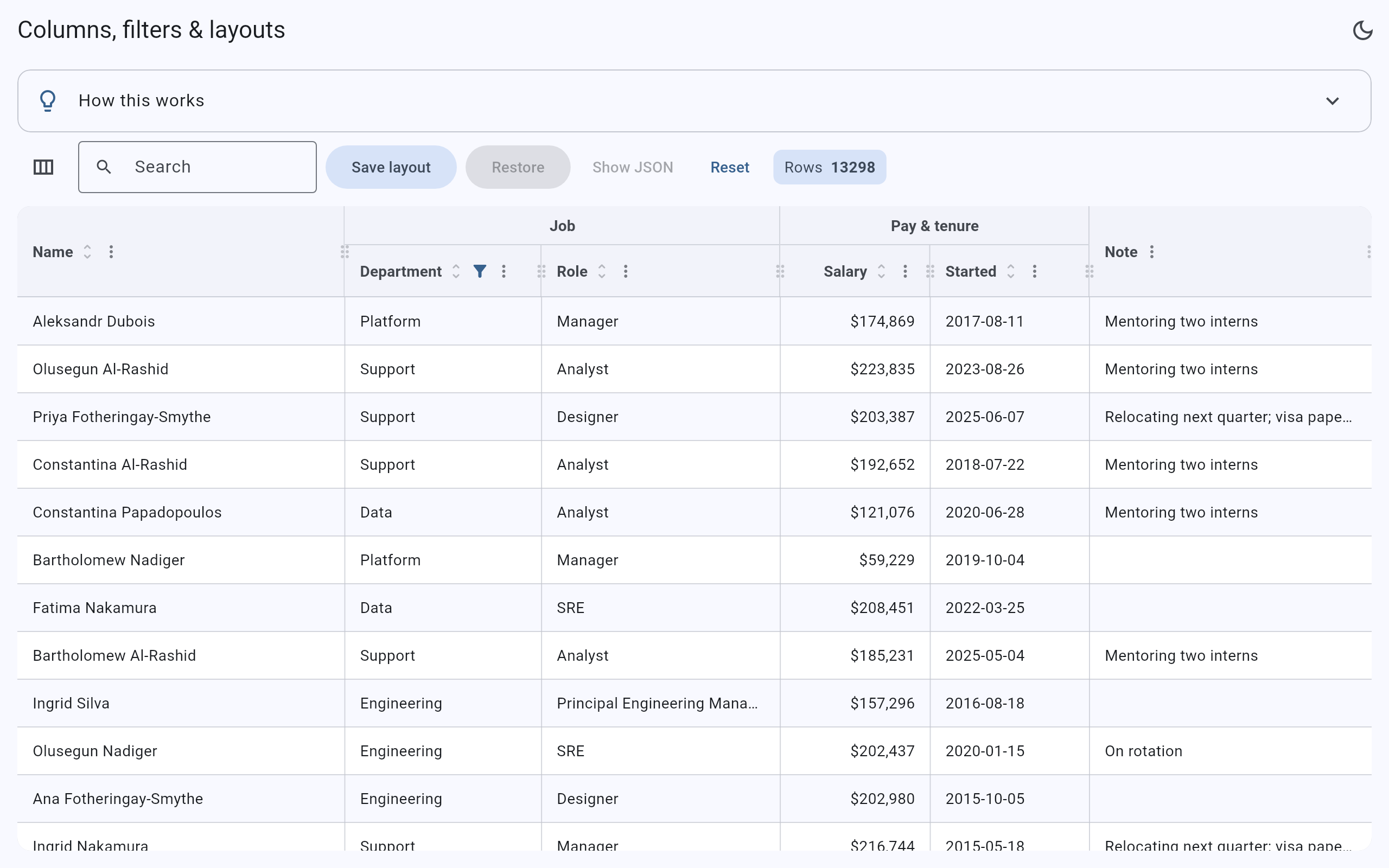
Sort, search and filter New
Multi-column sort, free-text search with highlighting, typed filters with a UI and a filter row. Big grids now sort and filter in the background, with an index that keeps search fast as you type.
- Text
- Number
- Date
- Checklist
- Background filtering
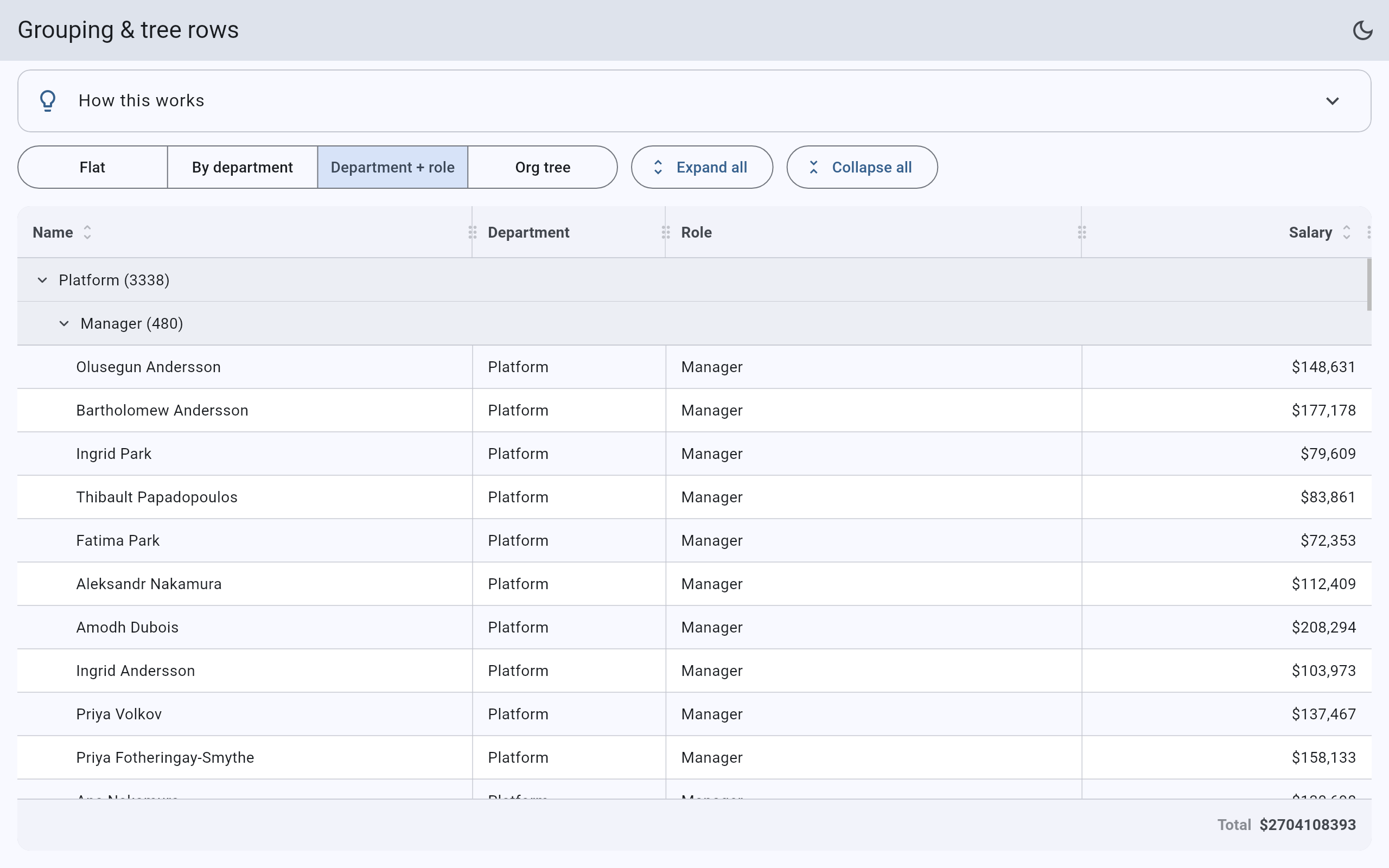
Grouping, trees and detail rows
Group with sticky headers, nest tree rows, and open any widget, even a nested grid, under a row.
- Sticky headers
- Tree rows
- Nested grids
Columns your way
Frozen columns at either edge, header bands, a column menu and chooser, drag to reorder, and saved layouts.
- Frozen
- Bands
- Saved layouts
Rows the grid doesn't hold
Server-backed rows with a bounded cache, infinite scroll with skeleton rows, and pagination with your own pager.
- Data sources
- Infinite scroll
- Paging
Export and pivots
CSV, TSV and Excel (xlsx) export, written in pure Dart, plus pivot tables and footer totals.
- xlsx
- CSV / TSV
- Pivots
Accessible and translatable New
A real accessibility tree, right-to-left, light and dark, themed from your Material colours, and every string translatable.
- Screen readers
- RTL
- i18n
A grid in a dozen lines
- Add the packageIt has no dependencies beyond Flutter.
- Describe your columnsGive each one a stable
idand avalue. There's no width arithmetic. - Hand it your rowsSorting, selection and virtualization come built in.
FitGrid<Employee>(
  rows: employees,
  columns: [
    FitGridColumn(id: 'name', label: 'Name',
        value: (e) => e.name, sortable: true),
    FitGridColumn(id: 'role', label: 'Role',
        value: (e) => e.role),
    FitGridColumn(id: 'salary', label: 'Salary',
        value: (e) => '\$${e.salary}',
        alignment: FitGridAlignment.end),
  ],
)
flutter pub add fitgrid_table